
MergeTree and data parts
CREATE TABLE uk.uk_price_paid_simple
(
    date Date,
    town LowCardinality(String),
    street LowCardinality(String),
    price UInt32
)
ENGINE = MergeTree
ORDER BY (town, street);
What an insert produces#
Every insert creates a new part. ClickHouse builds it in four steps:
- Sorting — rows are sorted by the sorting key, here
(town, street), and the sparse primary index is generated. - Splitting — the sorted data is split into separate columns.
- Compression — each column is compressed independently.
- Writing to disk — the compressed columns are saved as binary files in a new directory that represents the part, alongside the compressed sparse index.
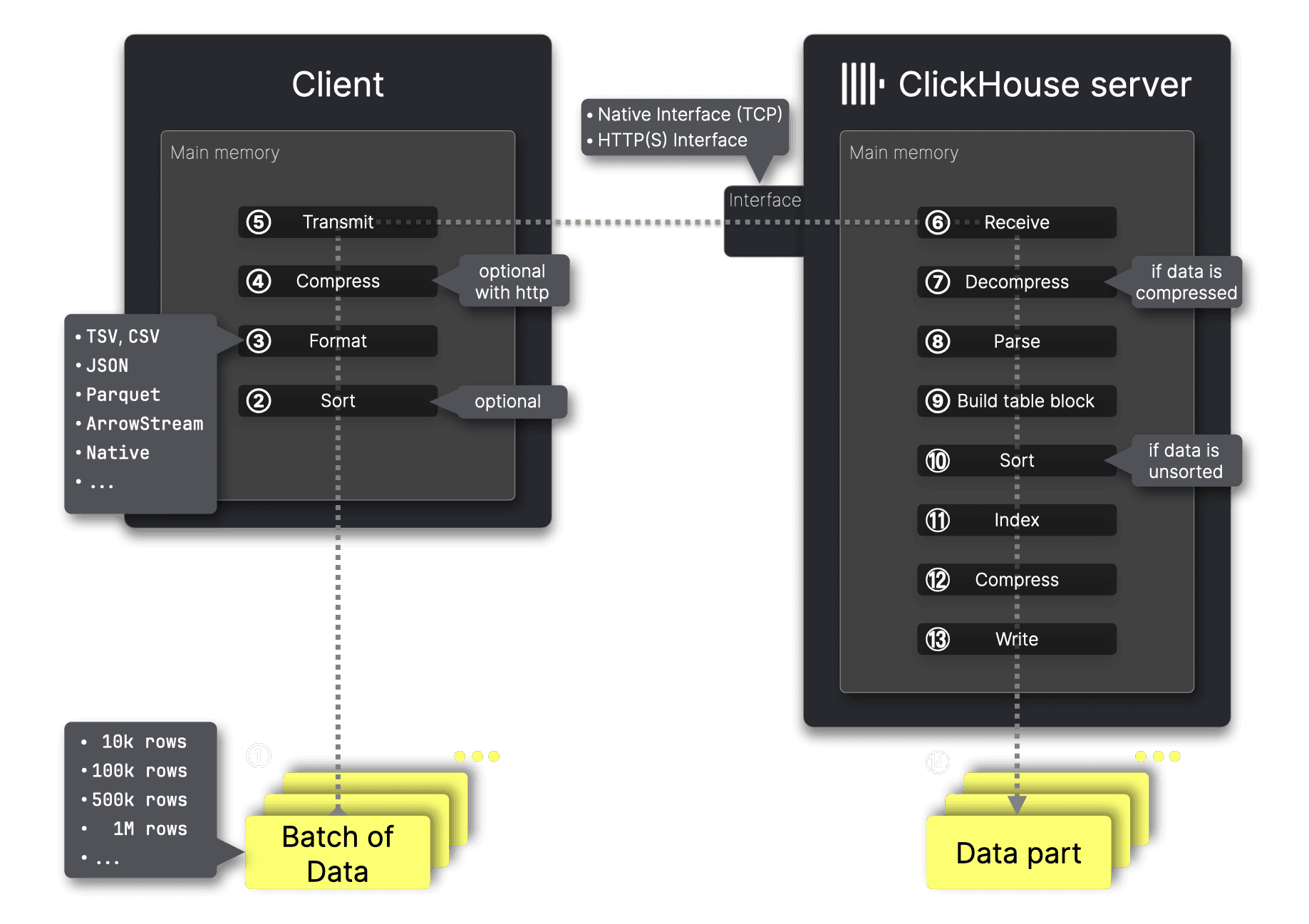
Parts are self-contained: each carries all metadata needed to interpret its contents without a central catalog. Beyond the sparse index, a part holds data-skipping indexes, column statistics, checksums, and min-max indexes when partitioning is used.
Why parts merge#
Many small parts would mean scanning many small files per query. ClickHouse continuously merges smaller parts into larger ones in the background, until a part reaches a configurable compressed size, typically around 150 GB.
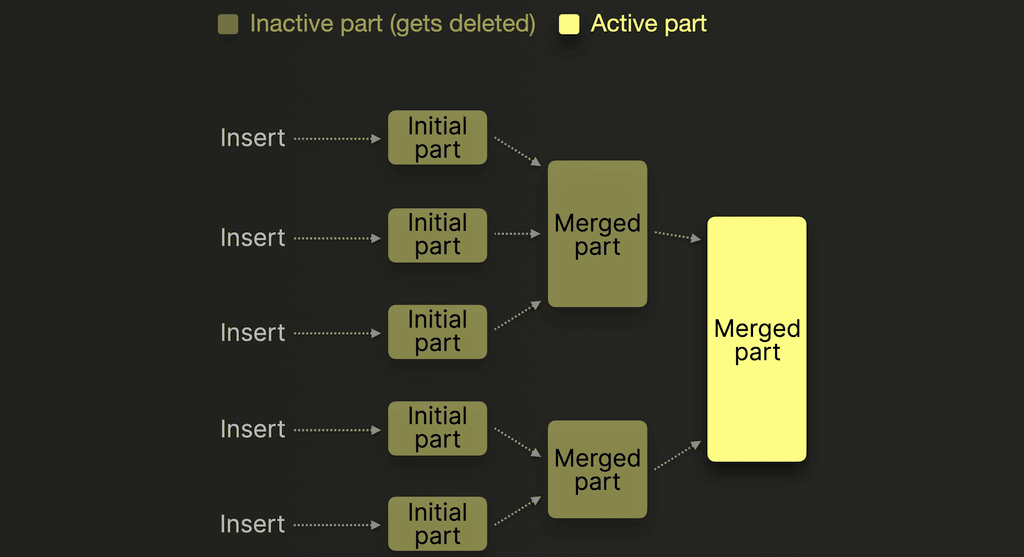
Merged-away parts are marked inactive and deleted after the interval set by old_parts_lifetime. Merging is also where engines like ReplacingMergeTree and SummingMergeTree apply their transformations.
This is why insert batching matters. Each insert costs a part, and every part costs merge work. Inserting 20,000 rows in one statement is far cheaper than 20,000 single-row inserts — see inserting data.
Inspect the parts of a table#
List the parts that currently hold your data:
SELECT
    name,
    level,
    rows
FROM system.parts
WHERE (database = 'uk') AND (`table` = 'uk_price_paid_simple') AND active
ORDER BY name ASC;
┌─name────────┬─level─┬────rows─┐
1. │ all_0_5_1 │ 1 │ 6368414 │
2. │ all_12_17_1 │ 1 │ 6442494 │
3. │ all_18_23_1 │ 1 │ 5977762 │
4. │ all_6_11_1 │ 1 │ 6459763 │
└─────────────┴───────┴─────────┘A part name encodes its partition, its block-number range, and its merge level. In all_0_5_1, the trailing 1 is the level: it counts how many times the part has been merged. Level 0 means a new part that has not been merged yet.
Check how much space each table occupies and how many parts it holds:
SELECT
    database,
    table,
    count() AS parts,
    sum(rows) AS rows,
    formatReadableSize(sum(bytes_on_disk)) AS size
FROM system.parts
WHERE active
GROUP BY database, table
ORDER BY sum(bytes_on_disk) DESC;Partitions#
PARTITION BY splits data into separate partitions, most often by a date range:
CREATE TABLE uk_price_paid
(
    price UInt32,
    date Date,
    town LowCardinality(String)
)
ENGINE = MergeTree
PARTITION BY toYYYYMM(date)
ORDER BY (town, date);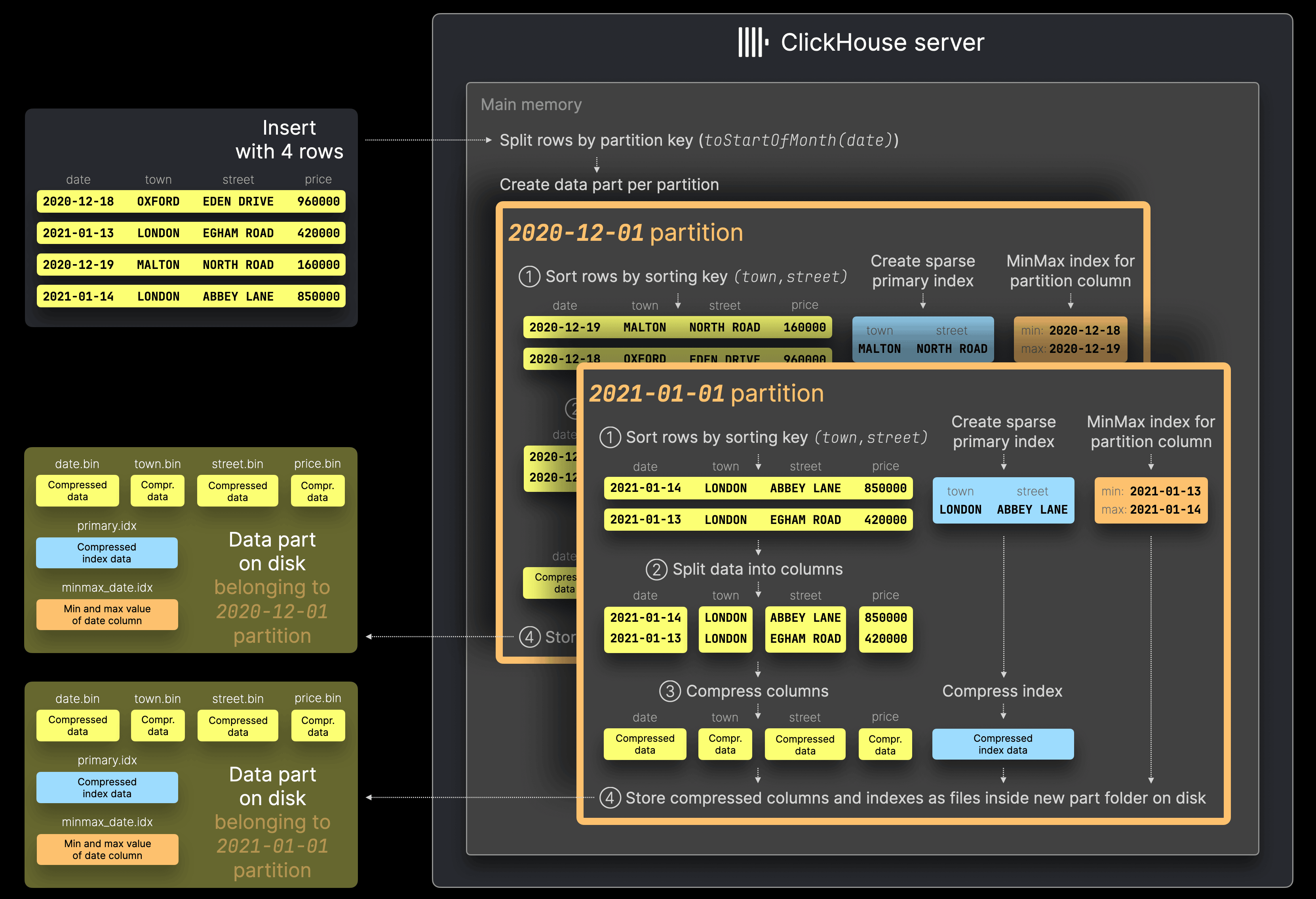
Parts from different partitions are never merged together. That gives two benefits: a query filtered by the partition key skips whole partitions before the index is even consulted, and dropping old data becomes a metadata operation on a partition rather than a delete.
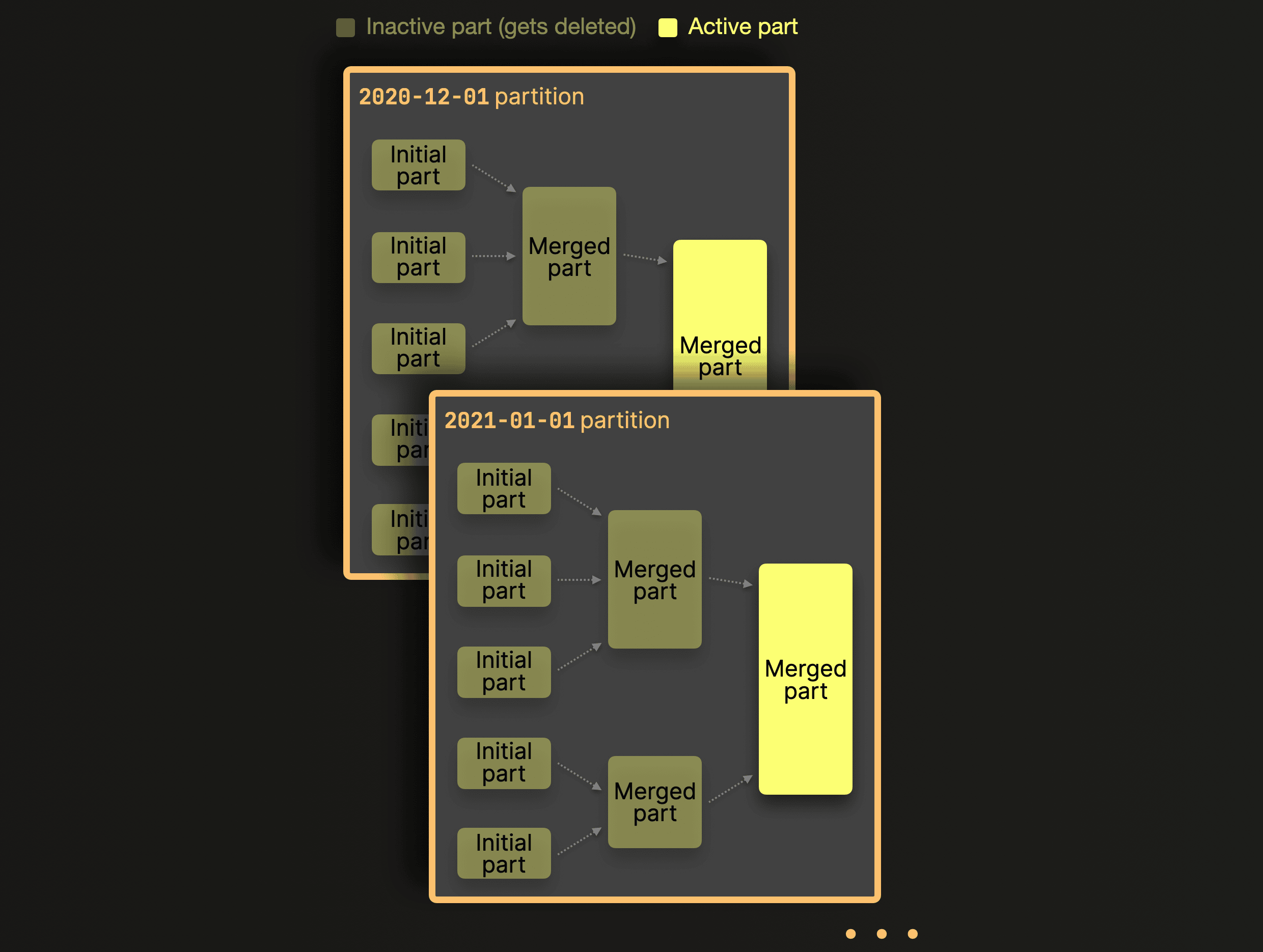
Partition by month or by a similarly coarse key. Partitioning by a high-cardinality column produces thousands of tiny partitions, which multiplies parts and slows everything down.
ORDER BY, PRIMARY KEY, PARTITION BY#
| Clause | What it does |
|---|---|
ORDER BY |
Physically sorts data within each part. Determines the primary key. Required. |
PARTITION BY |
Splits data into separate partitions. Parts from different partitions never merge, enabling partition pruning. |
PRIMARY KEY |
Defaults to ORDER BY unless you set a shorter prefix. The sparse index is built from this. |
MergeTree in ClickHouse Cloud#
In ClickHouse Cloud, ENGINE = MergeTree is transparently substituted with SharedMergeTree:
ENGINE = SharedMergeTree('/clickhouse/tables/{uuid}/{shard}', '{replica}')All replicas read the same data in object storage rather than each holding a copy, so adding a replica requires no data copy. The behaviour and query interface remain the same.
Related#
- The sparse primary index — how each part's index skips granules
- Table engines — what different MergeTree variants do at merge time
- Insert data efficiently — avoid the Too many parts error
- Monitor a running server — track parts and merges in production