
Core concepts
Nodes and triggers#
A node is one step in a workflow. It receives data, does one thing with it, and passes the result on. n8n ships with hundreds of nodes for specific services, plus general-purpose ones: HTTP Request for any REST API, Code for JavaScript or Python, and the flow-logic nodes covered in Flow logic.
A trigger node is the first node in a workflow and decides when it runs. The common triggers are:
- Schedule — run on an interval or a cron expression.
- Webhook — run when an HTTP request arrives, which turns the workflow into an API endpoint.
- App triggers — run when something happens in a connected service, such as a new row or a new message.
- Manual — run when you press Execute Workflow in the editor. Useful while building; not for production.
A workflow without a trigger node can only run manually.
Items and executions#
Data moves between nodes as items — a list of JSON objects. When a node receives five items, it usually runs its operation five times, once per item, and passes five results forward. This is why you rarely need an explicit loop: iteration is the default.
An execution is one run of a workflow from start to finish. Executions are what your plan is measured in, and what you inspect when something goes wrong: each one is stored with the data that passed through every node, so you can open a failed run and see the exact payload that broke it.
How long executions are kept depends on your plan — from 7 days on Starter to unlimited on Enterprise.
Credentials#
A credential holds the secret for a service — an API key, an OAuth token, a database password. Credentials are stored encrypted and separately from workflows, which has two consequences worth knowing:
- One credential can be reused by many workflows and many nodes.
- You can share a workflow, including exporting its JSON, without leaking the secret inside it.
On paid tiers, credentials can be shared with specific projects rather than the whole instance. See Security and credentials.
Expressions#
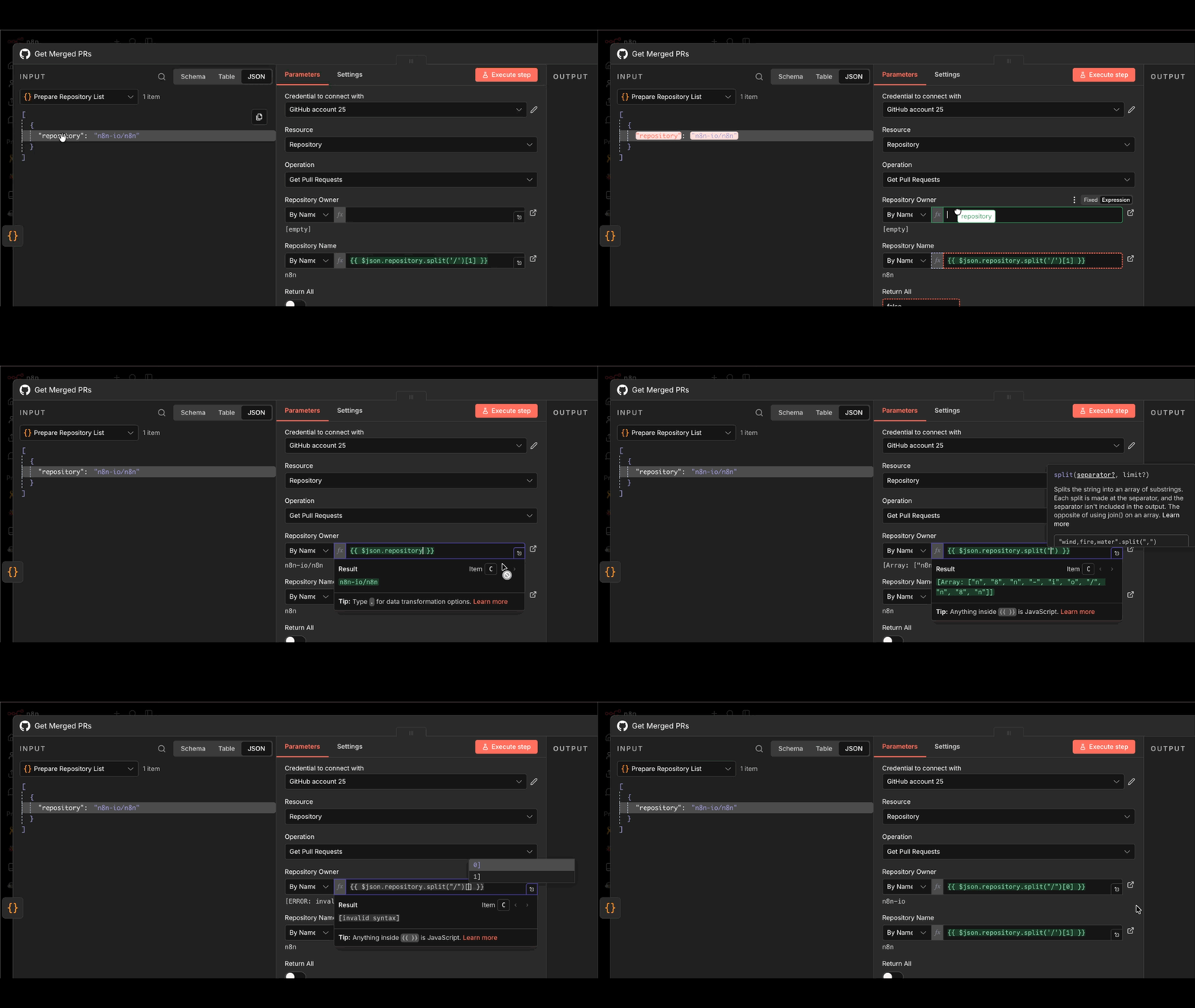
An expression pulls a value from earlier in the workflow instead of hardcoding it. Anywhere a field accepts a fixed value, it also accepts an expression, written in double curly braces:
{{ $json.email }}
{{ $json.first_name + ' ' + $json.last_name }}
{{ $now.minus(7, 'days').toISO() }}
The variables you reach for most often:
| Variable | What it holds |
|---|---|
$json |
The current item's data |
$node["Node Name"].json |
Output of a specific earlier node |
$now |
The current timestamp, as a Luxon DateTime |
$execution.id |
The identifier of this run |
When an expression grows past a line or two, move the logic into a Code node — it is easier to read and easier to debug.
Related#
- Build your first workflow — see all four concepts in one tutorial
- Work with data — expressions and data reshaping in depth
- Glossary — every term in one place