
Points
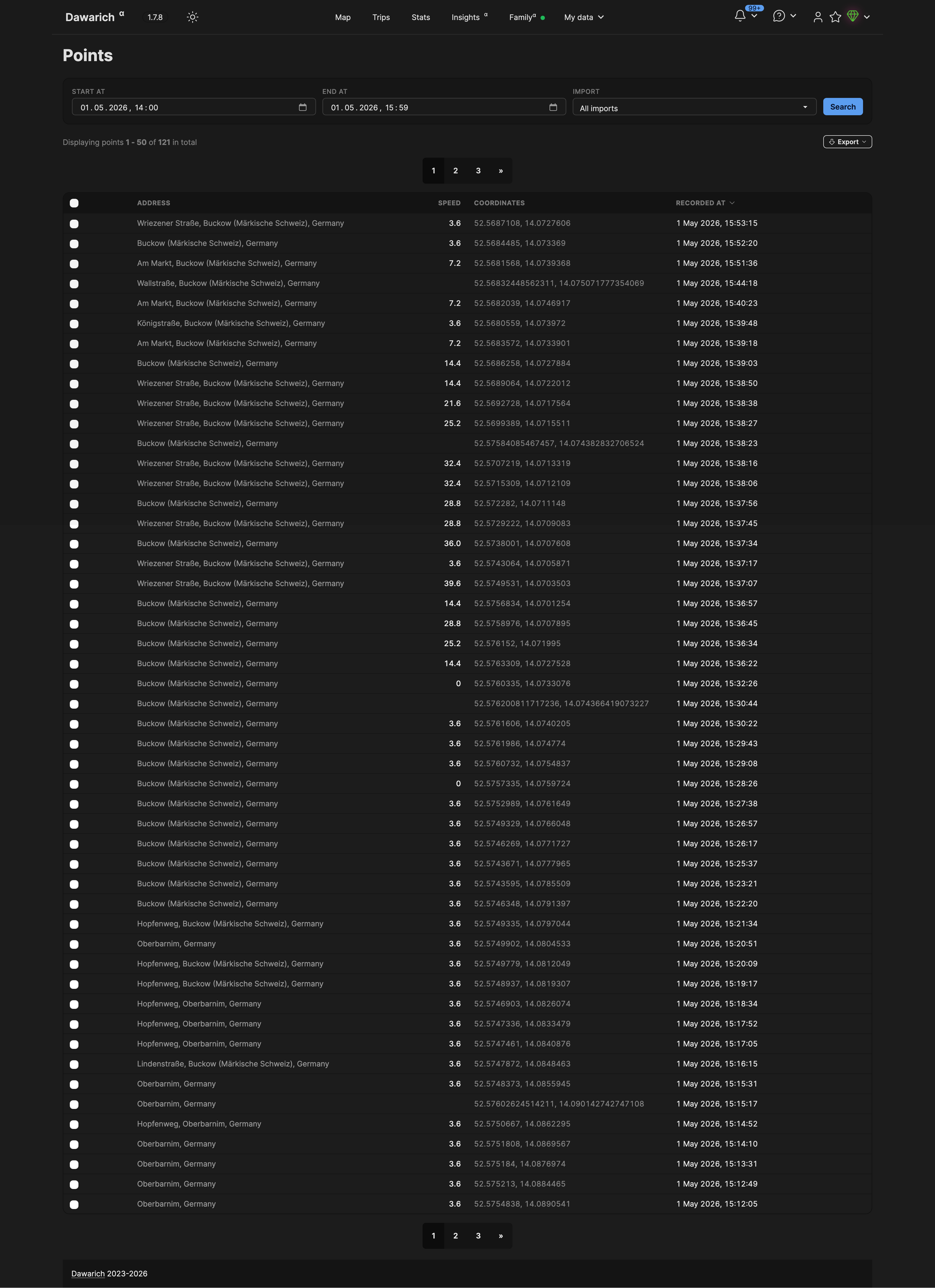
Searching and filtering#
Use the filter controls at the top of the page to narrow down points by:
- Date range — set a start date and end date to show only points recorded within that window
- Import source — filter by the source that created the points (e.g. a specific import file or integration)
Click Search to apply the filters.
Table columns#
Each row in the table shows:
| Column | Notes |
|---|---|
| Address | Reverse-geocoded street address — only shown when reverse geocoding is enabled |
| Speed | Speed recorded at that point |
| Coordinates | Latitude and longitude |
| Recorded at | Timestamp when the point was recorded; click the column header to sort ascending or descending |
Exporting points#
To export the currently filtered set of points:
- Apply your date range and source filters, then click Search
- Click Export and choose GeoJSON or GPX
The export runs in the background. Once complete, the file is available on the Exports page.
Deleting points#
To delete specific points, check the checkbox next to each row you want to remove, then confirm the deletion. Use the filter controls first to narrow down to the points you want to remove before selecting them.