
Stats
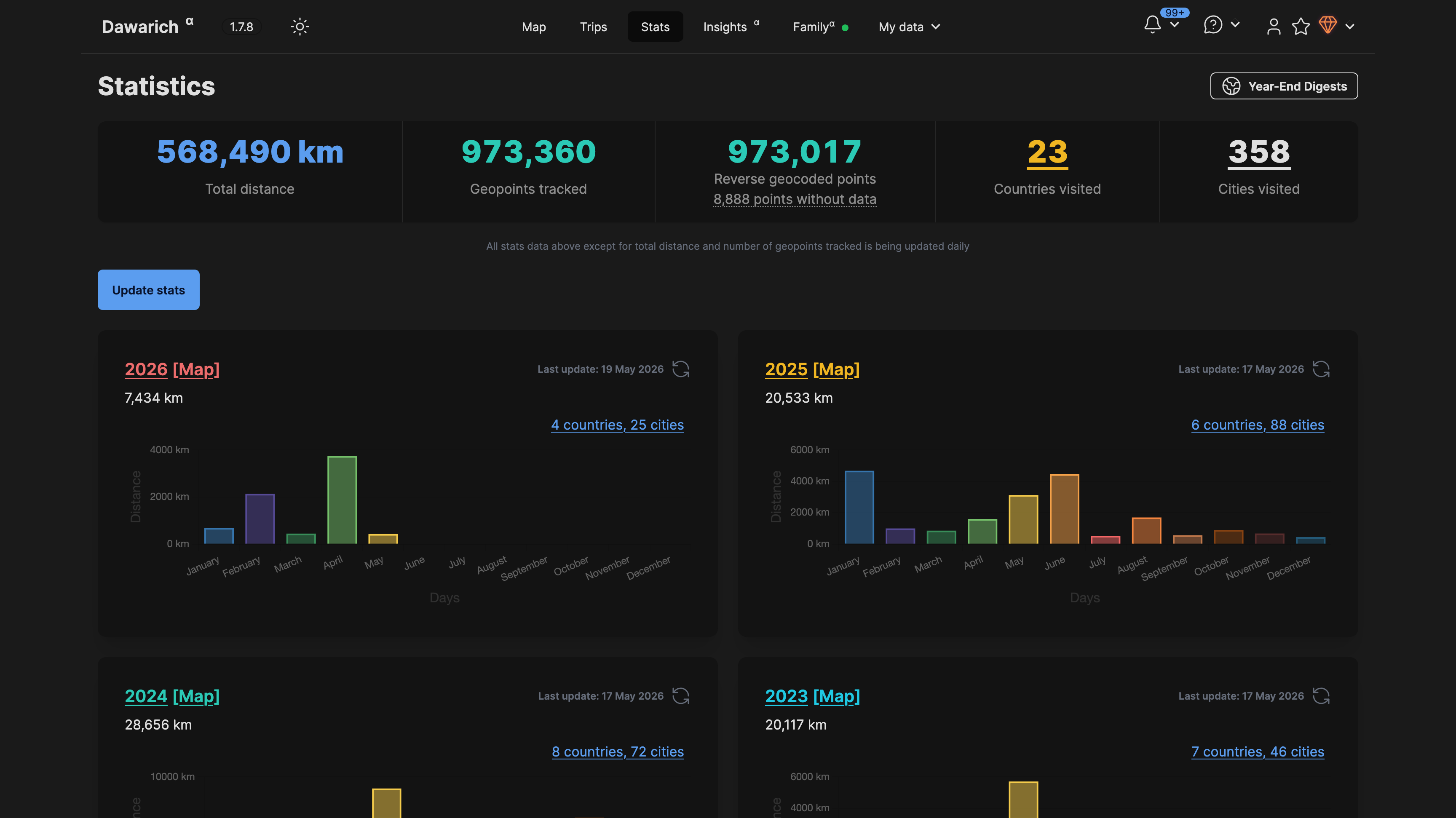
Overview#
Stats display:
- Total Distance - Cumulative distance traveled
- Countries Visited - Number of unique countries
- Cities Visited - Number of unique cities
- Points Recorded - Total GPS points in your database
Yearly Stats#
Click on any year to see detailed statistics:
- Monthly breakdown of distance and cities
- Countries visited that year
- Map view link for the entire year
Monthly Stats#
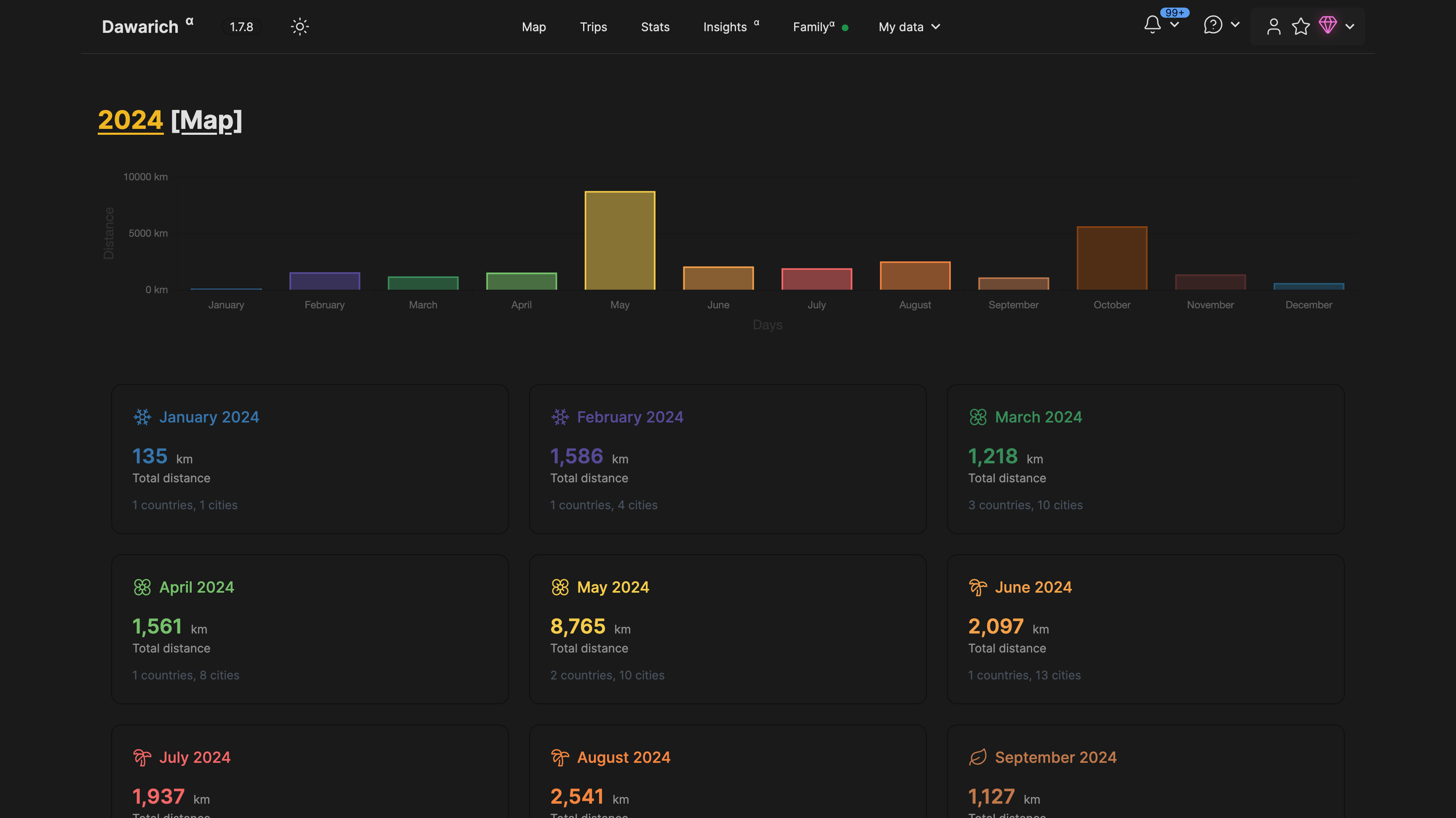
From the yearly view, click on a month to see:
- Distance traveled that month
- Cities and countries visited
- Direct link to view those points on the map
Updating Stats#
Stats are calculated periodically in the background. You can also manually update them:
- Go to the Stats page
- Click Update Stats
- Wait for the background job to complete (usually a few minutes)
Stats are automatically recalculated every hour.
Year Recalculation#
You can recalculate statistics for a specific year:
- Navigate to the year's stats page
- Click the Recalculate button
- The stats for that year will be refreshed
Month Recalculation#
Similarly, individual months can be recalculated from their stats page.
Countries and Cities Modal#
Click on the countries or cities count to see a popup with:
- Full list of countries/cities visited
- Visit counts per location
- Links to view on the map
Public Stats Sharing#
You can share your monthly statistics publicly with others without requiring them to log in.
Enabling Sharing#
- Navigate to a specific month's stats page
- Click the Share button
- Configure sharing settings:
- Expiration: Choose when the share link expires
- 1 hour
- 12 hours
- 24 hours
- Permanent (never expires)
- Expiration: Choose when the share link expires
- Copy the generated share URL
Share Link#
The share URL uses a unique UUID for security:
https://your-dawarich-domain/shared/month/unique-uuid-here
Anyone with this link can view the statistics for that month without logging in.
What's Shared#
Public viewers can see:
- Monthly distance traveled
- Countries visited
- Cities visited
- Hexagon map visualization (if enabled)
They cannot see:
- Your exact GPS points
- Personal information
- Other months' data
- Any account details
Disabling Sharing#
To stop sharing a month's stats:
- Go to the month's stats page
- Click Share settings
- Toggle off or let the expiration pass
Once disabled, the share link becomes invalid.
Automatic Expiration#
Links with expiration times automatically become inactive after the set period. For permanent links, you must manually disable sharing.
API Access for Shared Stats#
When sharing is enabled, the hexagon map data can also be accessed via API:
GET /api/v1/maps/hexagons?uuid=your-share-uuid
This allows embedding the shared visualization in other applications.
Privacy Considerations#
- Share links use unguessable UUIDs
- Only specifically enabled data is exposed
- Exact coordinates are never publicly shared
- You control when sharing starts and stops
- Expiration provides automatic privacy protection