
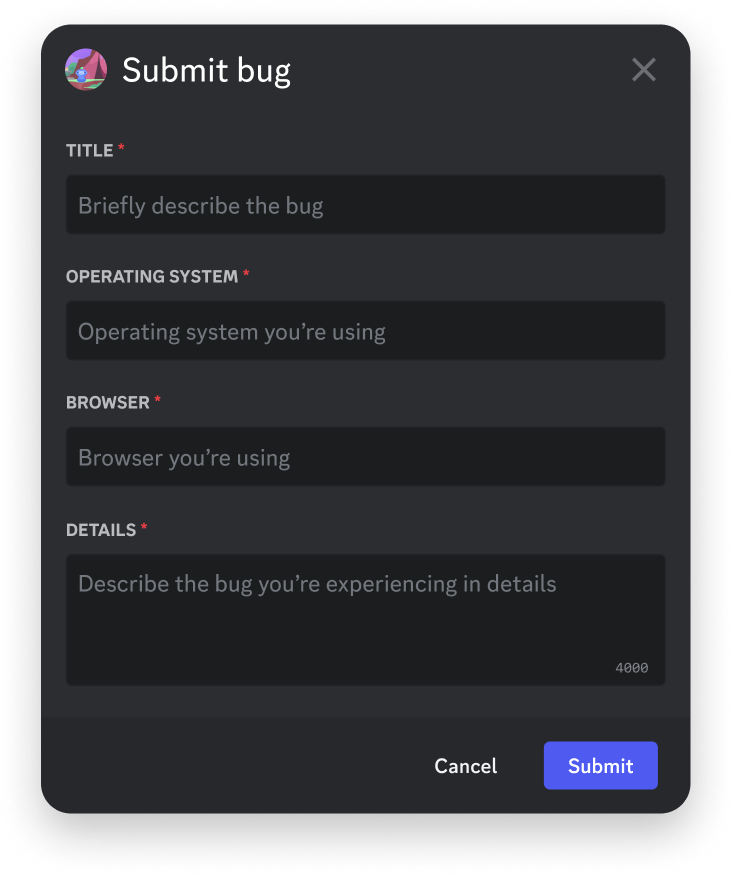
When a modal can open#
A modal opens only in response to a user invoking one of your app's commands or message components. Your app cannot open one on its own, and it cannot answer a modal submission with another modal.
Respond to the triggering interaction with callback type MODAL (9). That type is unavailable for PING and MODAL_SUBMIT interactions, which is what rules out chaining one modal into the next.
What a modal can contain#
Text inputs are the only interactive component a modal accepts. Each one is single-line or multi-line, and carries a custom_id that identifies the value when the user submits.
Use a modal when a click cannot carry the answer: a reason for a moderation action, a bug report, a custom message body. Use a select menu when the answer is one of a known set.
Handling the submission#
Submitting a modal produces a MODAL_SUBMIT interaction, type 5, carrying modal submit data with the values the user typed. Answer it like any other interaction, within three seconds, most often with CHANNEL_MESSAGE_WITH_SOURCE (4) or a deferred response if you need longer.
{
  "type": 4,
  "data": { "content": "Report received" }
}
Validate the values server-side. Discord enforces the input's length constraints in the client, but nothing stops a crafted request from carrying something else.
Next steps#
- Message components — the buttons and menus that open modals
- Receiving and responding — interaction and callback types
- Components overview — how components fit together