
This page covers the main types of interactions and how to prepare your app to receive them. The reference details are in receiving and responding.
Types of interactions#
Commands#
Application commands give users a native way to invoke your app. They usually map to your app's core features.
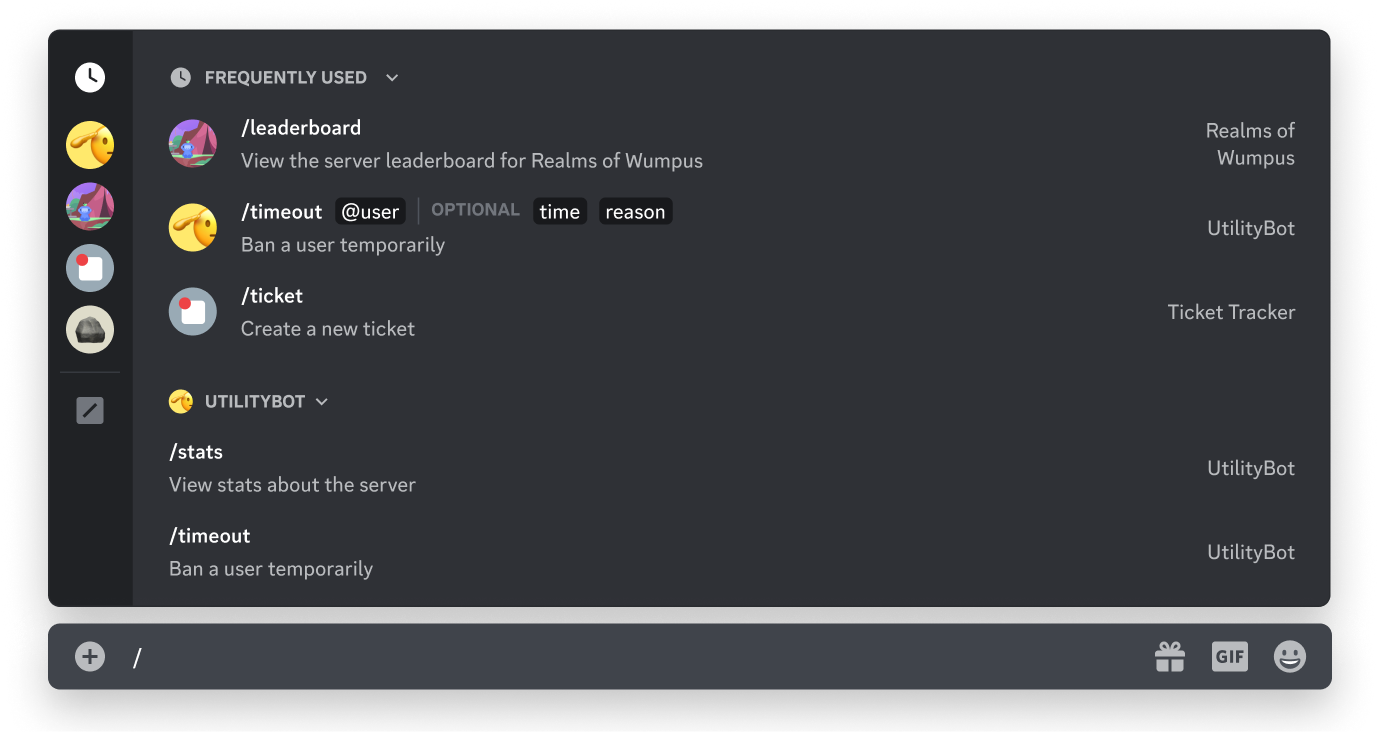
A command's type determines where it appears in the client and what metadata your app receives when it runs:
- Slash commands are the most common type, accessed by typing
/in the chat input or opening the command picker - Message commands act on a message, reached through the context menu at the top-right of a message, under Apps
- User commands act on a person, reached by right-clicking a user profile, under Apps
- Entry Point commands are the primary way to launch an Activity from the App Launcher
Message components#
Message components are interactive elements your app includes in the messages it sends.
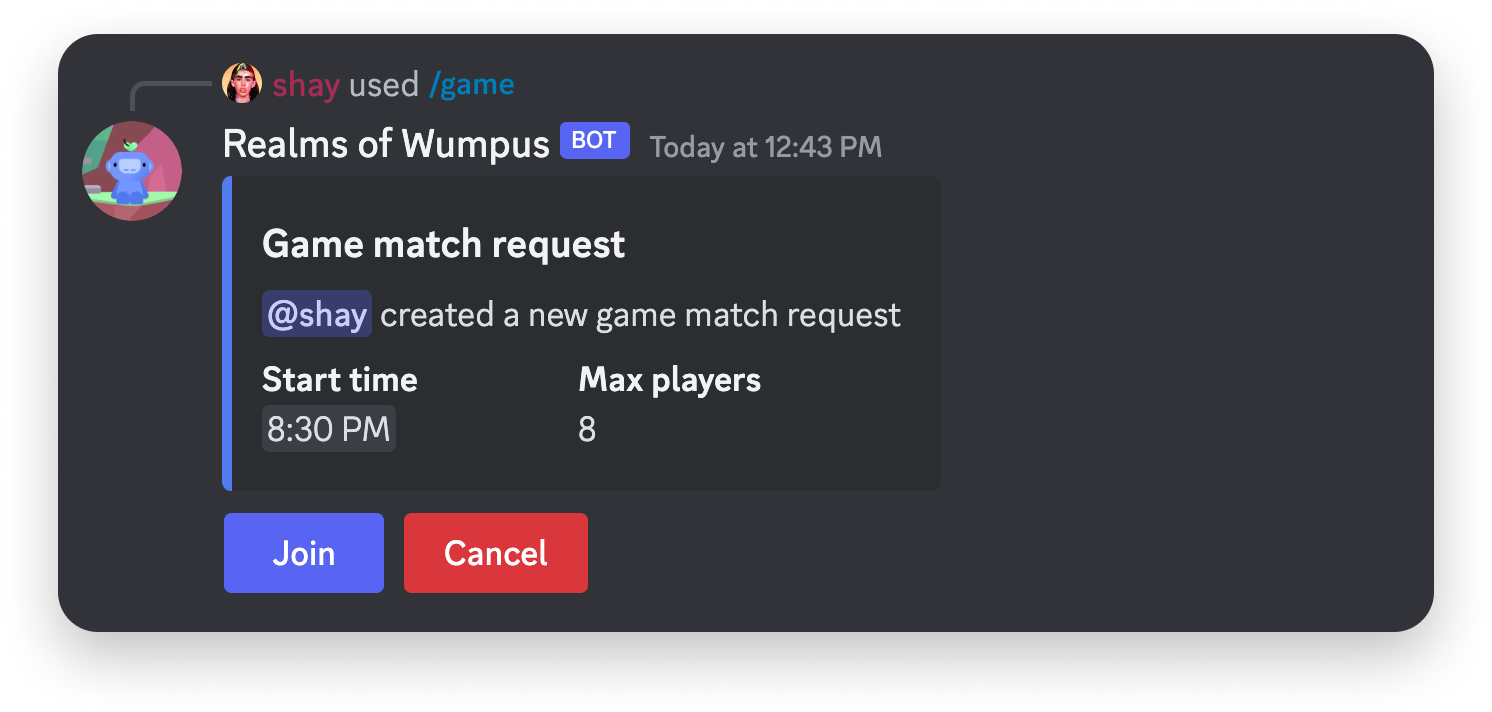
The main interactive components are buttons, static select menus with developer-defined options, and auto-populated select menus that Discord fills with contextual resources such as users or channels in a server.
Modals#
Modals are single-user pop-up interfaces that collect form-like data. A modal can only open in response to a user invoking one of your commands or components.
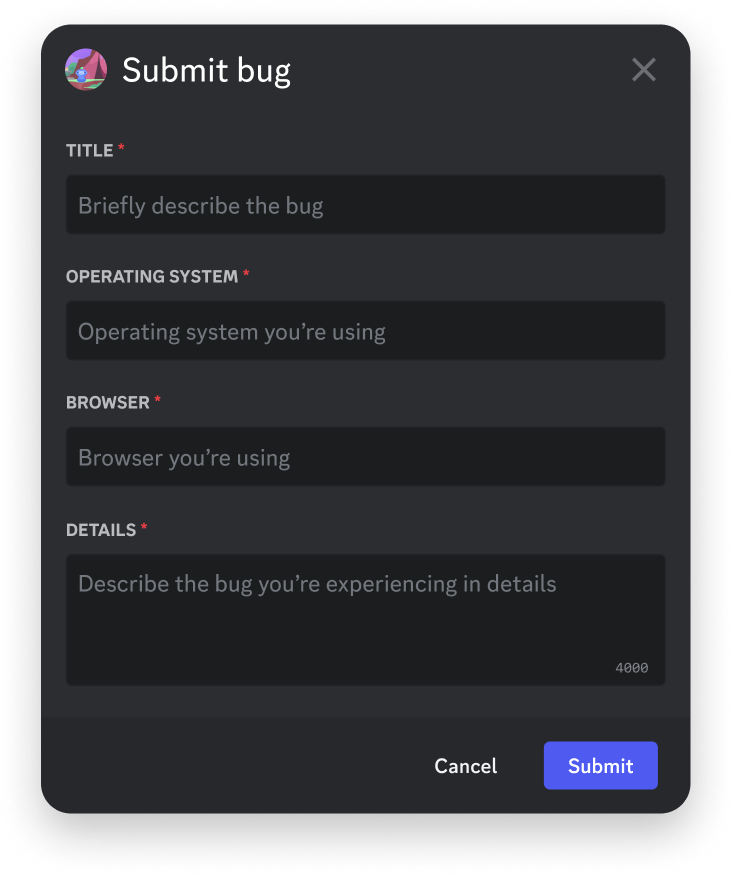
Text inputs are the only interactive component a modal can contain, in single-line or multi-line form.
How your app receives interactions#
Your app receives interactions in one of two mutually exclusive ways: over a WebSocket Gateway connection, or over HTTP through outgoing webhooks. Apps use the Gateway by default and opt in to HTTP by adding an Interactions Endpoint URL in the app's settings.
If your app uses Gateway-based interactions, you do not configure an Interactions Endpoint URL at all. See choosing a transport for the trade-off.
Before HTTP interactions work#
Discord validates your Interactions Endpoint URL when you save it. The URL is rejected unless your endpoint already does both of these:
- Acknowledges
PINGrequests from Discord with aPONGresponse - Validates the
X-Signature-Ed25519andX-Signature-Timestampheaders
Working code for both checks is in securing your endpoint.
Next steps#
- Application commands — create commands and handle their options
- Receiving and responding — interaction types, callback types, and the response window
- Securing your endpoint — pass Discord's validation