
Ansible
Create a template#
- Go to Task Templates, click New Template, then Ansible Playbook.
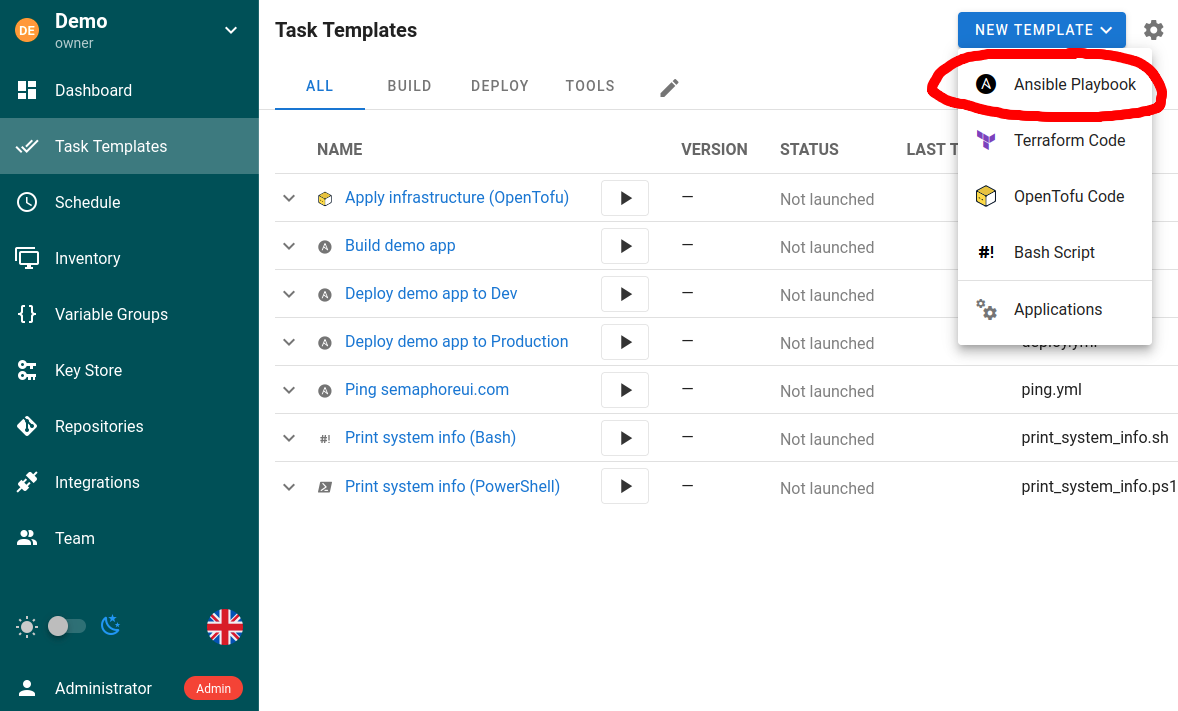
- Fill in the template:
| Field | What it does |
|---|---|
| Repository | Where the playbook lives. See repositories. |
| Playbook | Path to the playbook file inside the repository |
| Inventory | Which hosts to run against |
| Variable Groups | Variables and secrets injected into the run |
| Vaults | Vault passwords from the Key Store |
| Extra CLI arguments | --tags, --skip-tags, --limit, verbosity |
| Environment variables | Extra values for the process itself |
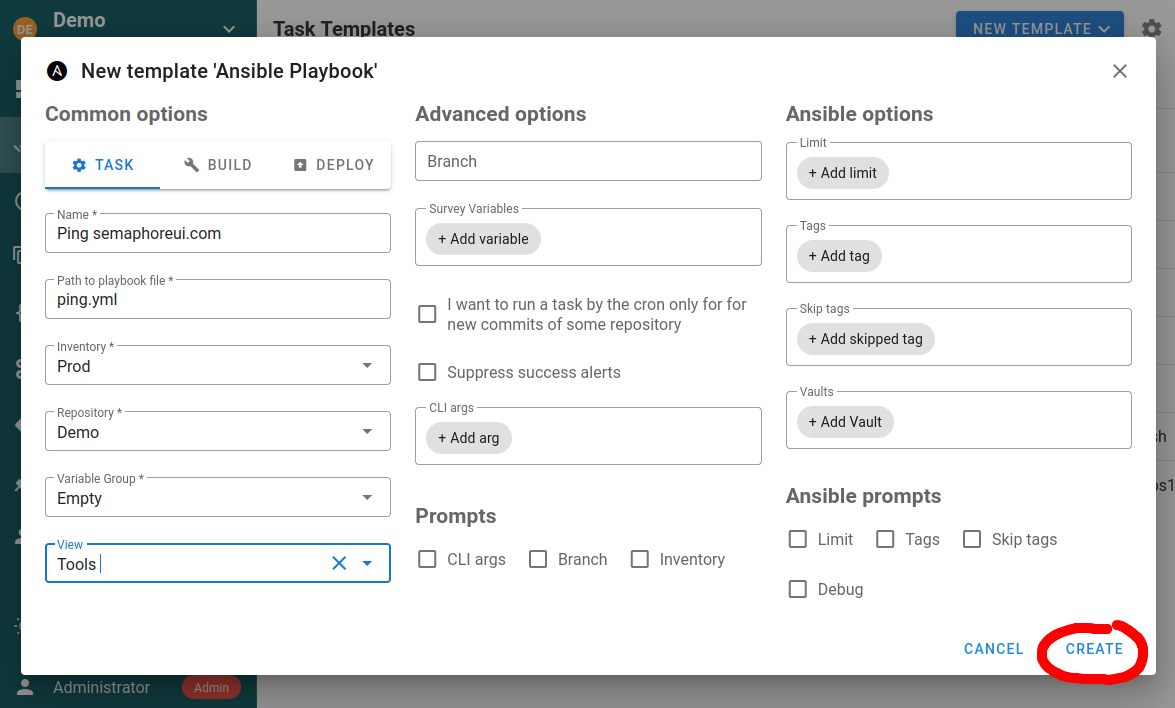
- Create, then Run.
Template types#
An Ansible template is one of three types.
Task — runs the playbook with the configured parameters. This is the default and covers most work.
Build — produces an artifact. Each run auto-increments a version, available in the playbook as semaphore_vars.task_details.target_version. The starting version is a template parameter.
Deploy — ships an artifact produced by a build template. Each deploy template is bound to a build template, and the version being deployed arrives as semaphore_vars.task_details.incoming_version, so you can redeploy any previous build rather than only the latest.
Semaphore does not store artifacts. It versions runs; your playbook decides what to build, where to put it, and how to fetch it back. Pipelines has the full variable reference.
Tags, skip-tags and limit#
Templates support the usual CLI options:
--tags--skip-tags--limit
Set them on the template, and override them when starting a task.
To pass a value through the API, the matching prompt must be enabled on the template. Launch a template with a
limitwhile Ansible prompts: Limit is off and the limit is silently ignored. Enabling a prompt does not make an API-triggered run interactive — it runs unattended either way.
Authentication#
Hosts are authenticated using the credentials attached to the inventory, not to the template. The SSH user comes from the optional user field on the Key Store entry. See Key Store.
Multiple vault passwords#
You can attach several vault passwords from the Key Store to one template. At run time Ansible tries each in turn until a file decrypts — which is what you want when different parts of a repository were encrypted by different teams.
Verbosity#
Ansible verbosity (-v through -vvvv) is settable on the template and on the individual task. Raise it on a single run while debugging rather than leaving a template noisy for everyone.
Scheduling and triggering#
- Cron — set a schedule in template settings, or as a separate schedule. Format: robfig/cron v3.
- On new commits — a cron schedule can poll the repository and trigger a build when new commits land. For push-driven runs, use a webhook integration instead.
- From code — the REST API launches any template.
Extra Python packages#
Many collections need Python libraries that are not in the Semaphore image. In Docker, mount a requirements.txt at /etc/semaphore/requirements.txt and it is installed on container start. See Install.
Common gotcha: localhost#
Running a play against localhost inside the Docker or Snap install fails at Gathering Facts, because Ansible is in an isolated container that cannot gather facts about the host. Two fixes — disable fact gathering, or force an SSH connection. Details in Troubleshooting.
Next steps#
- Inventory and variables
- Pipelines — build and deploy in practice
- Runners — run playbooks close to the infrastructure they touch