
AI answers your readers
What's on from day one#
On a Pro project the chat answers readers from the first publish, with nothing to set up.
- Where readers ask — Ask AI beside the page title, the Ask Docs button in the bottom-right corner, and an Ask AI bubble on any text a reader selects are on by default. A header button (
⌘I/Ctrl+I), a right-sidebar button and a bottom input bar are one switch away in Customize. - Answers from your pages — it searches your docs, reads up to five matching pages plus any page the reader names with
@, and answers from those pages only. - Sources you can check — the reader sees which pages it searched and read, and the answer cites them as sources.
- An honest "I don't know" — when the pages don't cover a question, the answer starts with "I don't know the answer to this question" and sends the reader to your Support Email. With no address set, it tells them to contact support and never invents one.
- Suggested questions — your three Custom Questions fill the empty chat, and each answer offers three follow-up questions.
- One question back, when it matters — if your pages answer differently by plan, platform or role, it asks one question with two to four options instead of guessing.
- The page's language — on a translated page it answers in that page's language.
- Your call to action, when it fits — a reader who is comparing, evaluating or asking about pricing gets one link to your Call To Action URL, after the answer.
- Search beside it —
⌘K/Ctrl+Kopens full-text search over your pages, and a search can go to the chat as "Can you tell me about …?".
Which plan, and what an answer costs#
Reader chat is part of Pro — $20 a month, with $20 of AI usage credited each month — and Enterprise. On Free the chat does not answer readers, even with your own API key; see Plans and pricing.
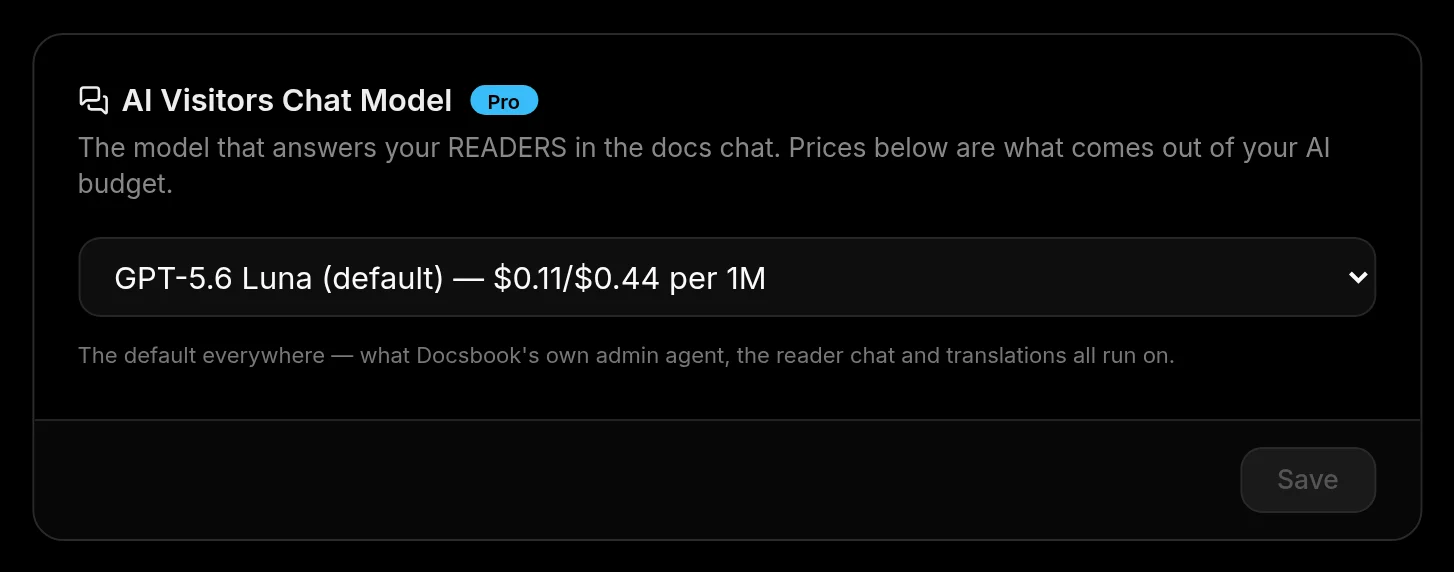
- Billed per answer — each answer draws on your balance by the tokens it used, at the per-1M-token price shown beside the model on Settings ▸ Agent ▸ AI Visitors Chat Model.
- Your own key — on Enterprise, answers made with Your own AI API Key are billed by your provider and leave the balance alone.
- Search is free — full-text search is never metered.
- An empty balance — the chat stops answering until there is balance again.
- Where the money went — Settings ▸ Usage shows the chat on its own line, Readers (AI chat).
What the agent does on its own#
Every question the chat fails on and every page a reader rates down is a signal. Switch a card on under Triggers and the Docsbook agent turns that signal into a page change, then checks whether the signal stops.
Wakes when the chat says it doesn't know.
- Reads: the questions it failed on, newest first.
- Changes: writes the missing page, or rewords and re-links the existing one so the next search finds it.
- Measures: whether the same questions stop going unanswered.
Wakes on page feedback.
- Reads: the page the way the reader who voted it down read it.
- Changes: adds the missing step, the assumed knowledge, the answer that was there but unfindable.
- Measures: whether the page's rating recovers.
Runs weekly.
- Reads: everything readers asked the chat, grouped by meaning.
- Changes: answers each question where it belongs and links it from the page it was asked on; a question asked often enough becomes its own page.
- Measures: how many top questions are answered without the chat, and whether they keep coming back.
Runs daily.
- Reads: the questions that keep coming back — in the chat, and in Intercom or Zendesk once connected under Integrations.
- Changes: answers them once, in the reader's own words, on the page they were looking at.
- Measures: whether those questions still arrive after the page exists.
The agent works from what readers actually typed: each question word for word, grouped by topic and by buying stage — evaluation, pricing, integration, support, bug — and whether the answer sent the reader on to a cited page.
- Judged by the catalog — each run checks the pages against the expertise catalog before and after the change; the rules these fixes turn on sit on the First screen, Navigation, Intent and Passages axes.
- Failed searches too — the neighbouring card Write the pages readers wanted works searches that found nothing the same way.
- Cadence — event cards wake at most once every 10 minutes; scheduled cards run daily or weekly.
- Safe to leave on — every change is an ordinary git commit you can review and revert, and the pages it writes are marked for your review.
- Cost — trigger runs are part of Pro and draw on your balance.
See it working#
Four places show what the chat is doing, from the big picture down to one conversation.
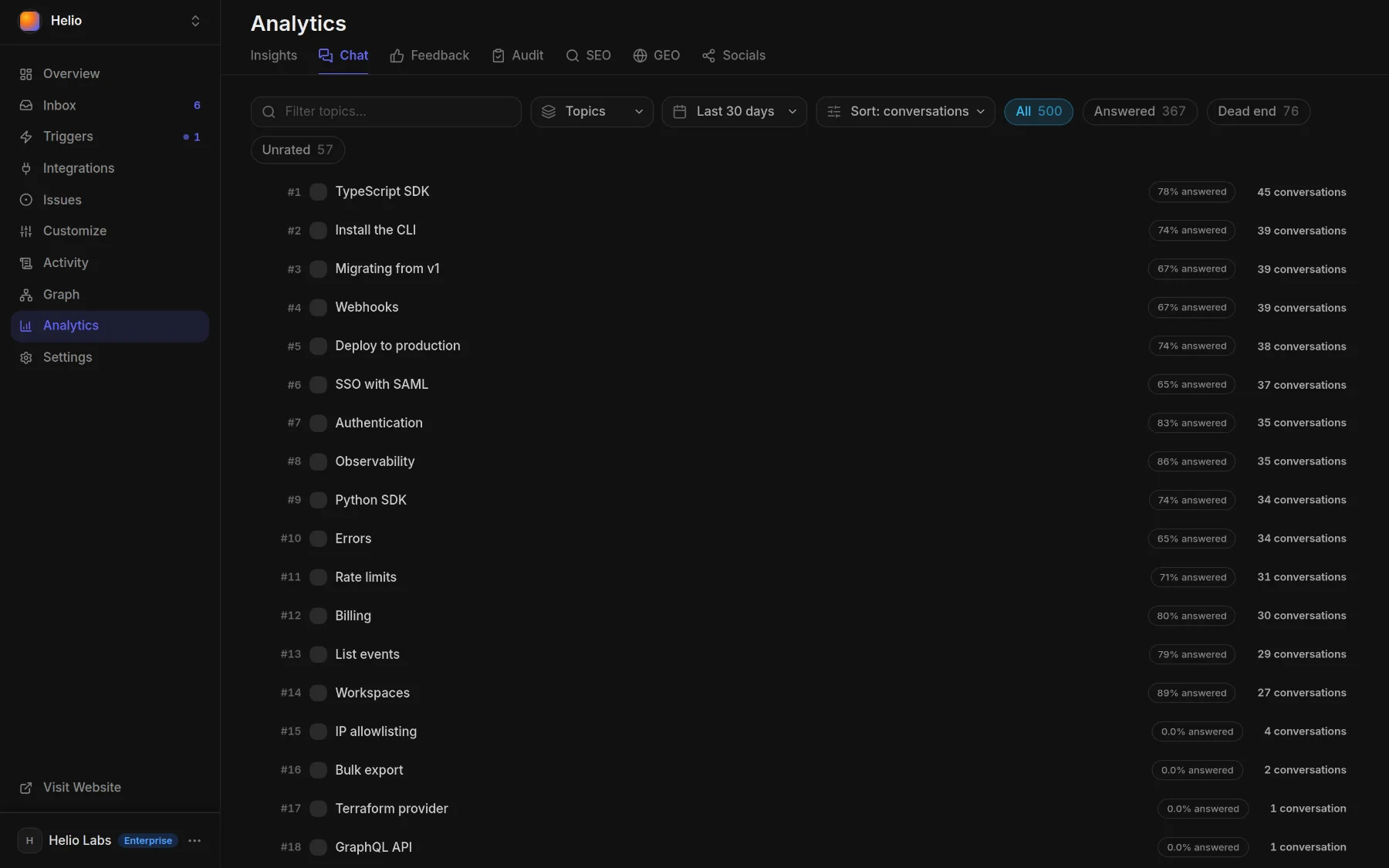
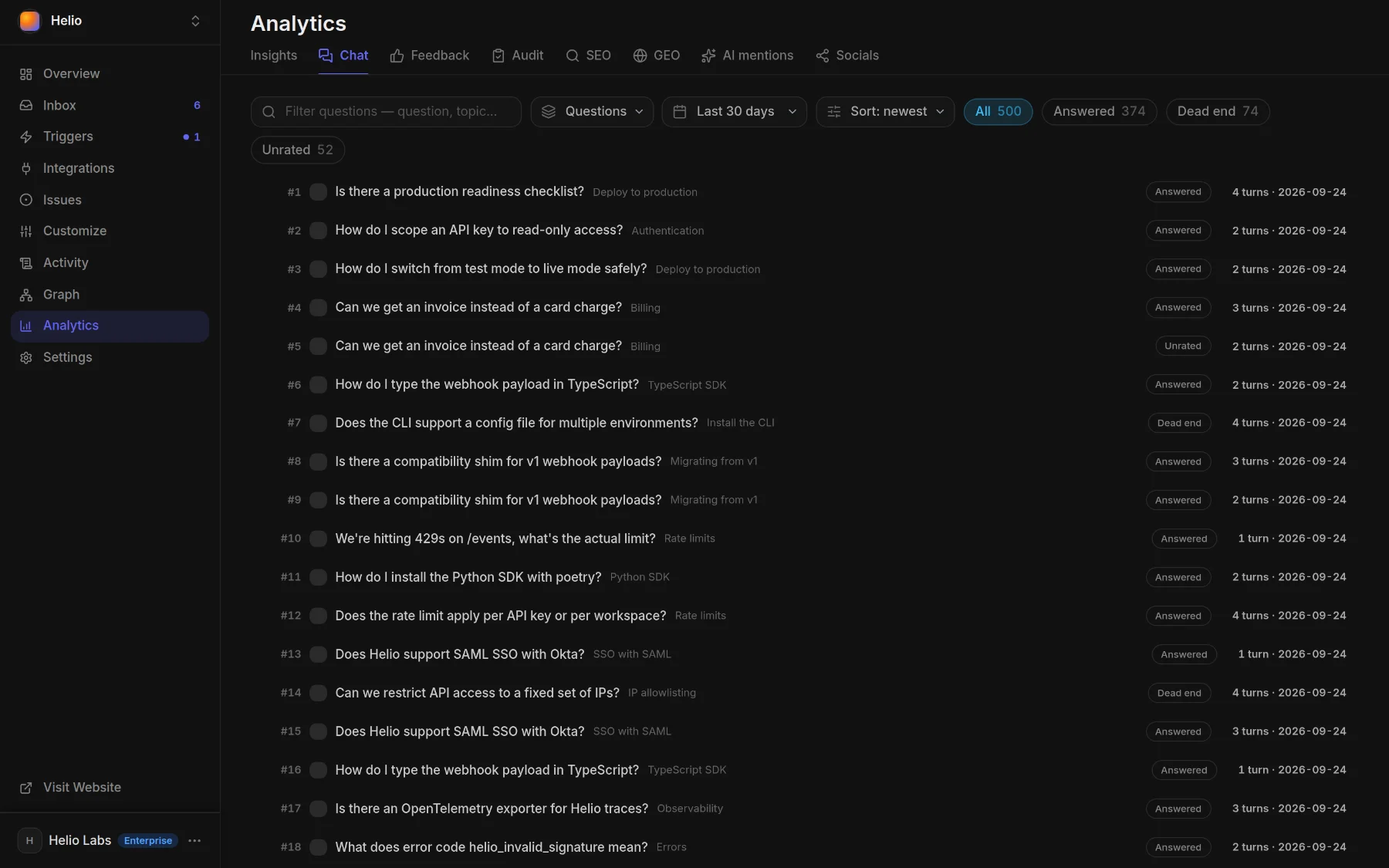
- Analytics ▸ Chat — what readers asked over the last 24 hours, 7 or 30 days: by topic with each topic's answer rate, or question by question marked Answered, Dead end or Unrated.
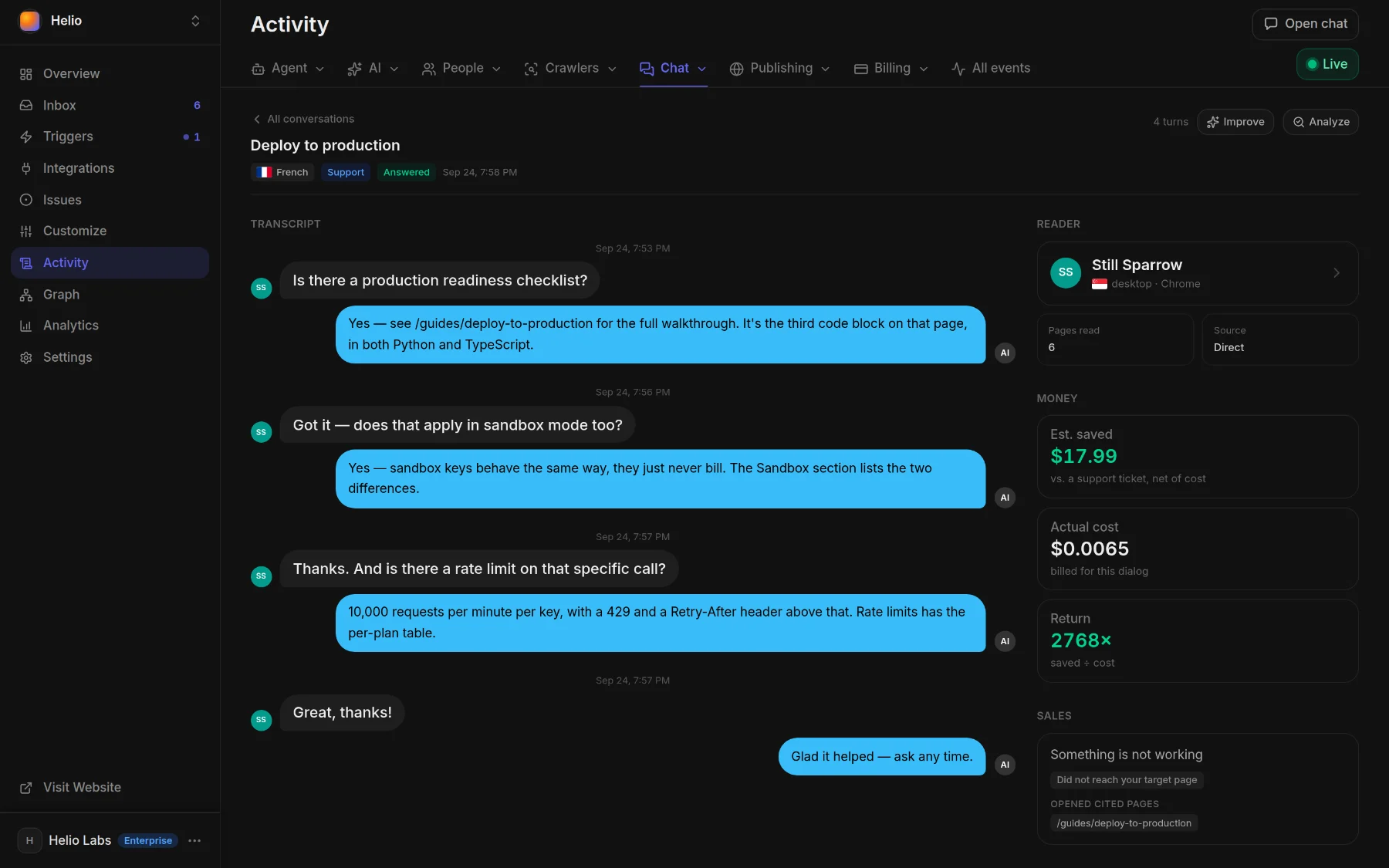
- Activity ▸ Chat — every conversation as a row with its reader, topic, cost and outcome, plus an Answered column a model fills in; open a row to read the transcript.
- Activity ▸ Agent runs — each reader question as a Reader chat run with the pages it read, its tokens and its cost, beside the runs your trigger cards started.
- Content gaps — in Activity's Chat menu: questions the chat could not answer and searches that found nothing, as they happen.
Tell your agent#
Say it in one sentence — in the panel chat, or from Claude Code, Cursor or Codex through docsbook_agent (Tell your agent, get discovered).
Why did the chat say "I don't know" this week? Fix the pages it was missing.
Turn our ten most-asked chat questions into answers on the pages people ask them from.
Set our support email to help@example.com so the chat hands readers to it.
Switch on "Answer what the chat could not" and "Fix what readers rated down".
What would a reader asking about refunds be told right now?FAQ#
Does the AI chat make things up?
It is instructed to answer only from the pages it read for that question, never from general knowledge, and to carry a page's stated requirements — a plan, a role, a prior step — into the answer. When those pages don't cover the question, it says it doesn't know and points the reader to support; Semantic Search helps it find the right page.
Can I use my own model or API key?
Pick the model readers get on Settings ▸ Agent ▸ AI Visitors Chat Model (Pro); each option shows its price per 1M tokens. On Enterprise, Your own AI API Key takes a key from OpenRouter, OpenAI, Google Gemini, Anthropic or Vercel AI Gateway, and your provider bills you directly.
Can I check what a reader would be told?
Yes. Ask your agent, or call ask_project_docs: it runs the same retrieval and model call as the chat on your site, works on every plan and is charged to your balance.
Does the chat remember earlier questions?
No. Each question is answered on its own from the pages found for it, so a reader gets the best answer by asking the whole question.