
Search engines see you
What's on from day one#
Nothing to switch on: every page on a docsbook.io address carries all of this, on every plan.
- Server-rendered HTML — the full text is in the first response, readable without running JavaScript
- Title and description — frontmatter
titleanddescription, else the# H1and the opening paragraph; your site name is added once - One canonical URL per page — your custom domain when you have one
hreflang— only for the languages this page is actually translated intositemap.xml— every page and every real translation, withlastmodfrom the last commit that touched the filerobots.txt— announces your sitemap and lets every crawler in; none is refused by default- Social cards — Open Graph and X
summary_large_imagetags with a generated 1200×630 image per page - JSON-LD —
Organization,TechArticlewith dates from your git history, andBreadcrumbListon every page FAQPageandHowTo— added only when the page has question headings or a "How to…" procedure- Clean URLs —
guides/setup.mdis served as…/guides/setup, and the rootREADME.mdis the home page - 308 redirects — a moved page keeps its old address working through
.docsbook/redirects.json - Cached pages — readers and crawlers get a cached copy, replaced when you publish through Docsbook
Pages keep their title, description, canonical URL, hreflang, social card and TechArticle markup. The sitemap.xml, moved-page redirects, the rest of the JSON-LD and per-page noindex currently work on docsbook.io addresses only.
How do I control what search engines see?#
Set the search title and description, or keep one page out of the index, in the page's frontmatter:
---
title: "Configure a webhook"
description: "Register a webhook, choose its events, and verify the first delivery."
noindex: true
---
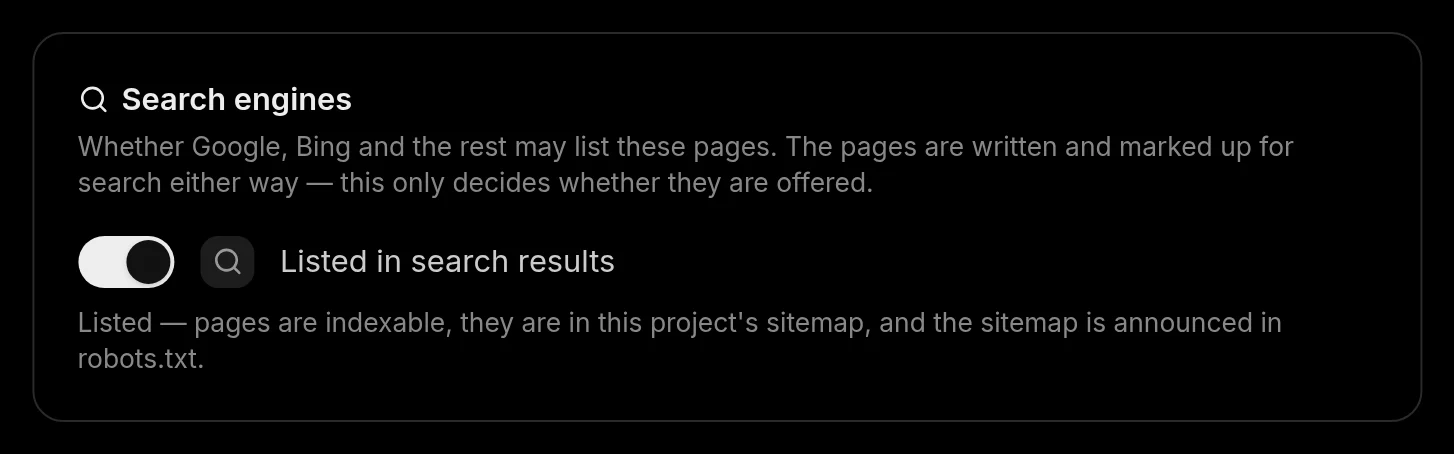
noindex: true (or robots: noindex) serves that page with noindex, follow and keeps it readable. To take a whole project out of search, switch off Listed in search results on Settings ▸ Access ▸ Search engines: every page gets noindex, the project leaves the sitemap, and search crawlers are refused in robots.txt.
What the agent does on its own#
On Pro, the agent runs these loops from ready-made triggers. Each one reads a signal, checks it against the rules of the expertise catalog, and changes the docs in a pull request.
Organic search audit, weekly
- Watches — queries at positions 5–20 and pages with views but few clicks
- Changes — titles, descriptions and first screens; pages competing for one query
- Measures — Google's clicks and position for the changed page, read again on the check date
- Axes — Titles & snippets, Intent, Crawl & index
Write the pages readers wanted, File the search gaps
- Watches — searches on your site that returned nothing, and chat questions without an answer
- Changes — writes the missing page, or renames the one readers could not find; the daily report files the rest as one ranked issue
- Measures — whether those searches stop coming back empty
- Axes — Intent, Depth
Sweep for broken links, when content changes
- Watches — internal links, heading anchors and outbound links
- Changes — fixes the dead ones and names any it could not fix
- Measures — how many links resolve, and how many dead ones sit on pages readers reach
- Axes — Crawl & index
Keep pages light, weekly
- Watches — pages that ship far more than their own content
- Changes — trims the weight without losing a link, a heading or an indexable word
- Measures — the weight of the heaviest pages against their own content
- Axes — Speed
Explain a traffic drop, weekly
- Watches — traffic per page and per source against earlier periods
- Changes — fixes causes that are ours: a removed page, a broken link, a rewritten title
- Measures — names the pages that lost readers, or shows with numbers that the fall is not ours
- Axes — Intent, Core updates
Before it writes, the agent researches what people actually search for:
- Search demand — Google Keyword Planner volume, cost-per-click and a 12-month series for up to 25 phrases
- Real phrasing — the questions Google autocompletes after up to 10 seed phrases
- Direction — three months of search interest and the queries rising fastest around a topic
- Results pages — Google's results, People Also Ask and AI Overview, and Bing's results for the same query
- Links — how many domains link to a site, and from which pages
- Competitor docs — up to 50 pages of a rival's documentation, read as clean Markdown
- Questions asked elsewhere — Reddit, Hacker News, Stack Overflow and Discourse threads about your product
A change that claims to move a number states its bet. The agent records the reading it expects to move — Google's position, impressions or clicks for a page, or its views — with today's number, the predicted one and a check date. On that date it takes the same reading again, and Docsbook computes the verdict from the two: as predicted, no effect, went backwards or cannot tell.
See it working#
Analytics ▸ SEO is one list with a View switch. Rows come from Google Search Console and from the checks the agent runs.
| View | What it shows |
|---|---|
| Queries | Each search query: clicks, views, CTR and average position, with the engine that reported it |
| Pages | The same numbers per page, with how many queries reach it |
| Search demand | Monthly searches behind a question your buyers ask, split by intent, beside your position |
| Google & Bing mentions | Where your docs sit on Google's and Bing's results page for the queries you watch |
| Competitors, Competitor queries | Who ranks for your queries, and where they sit ahead of you |
| Competitor tactics | Which catalog rules the winning competitor pages apply |
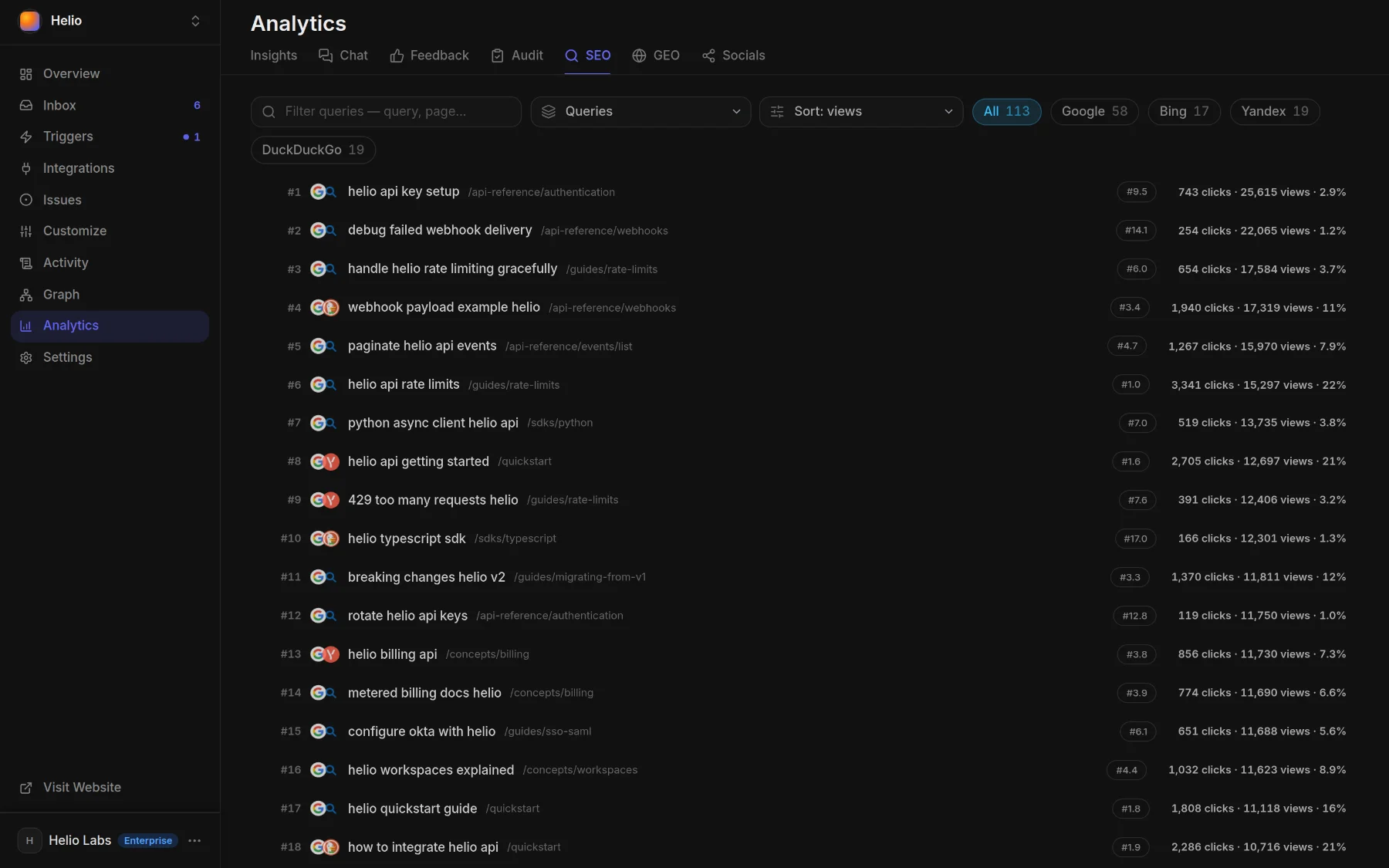
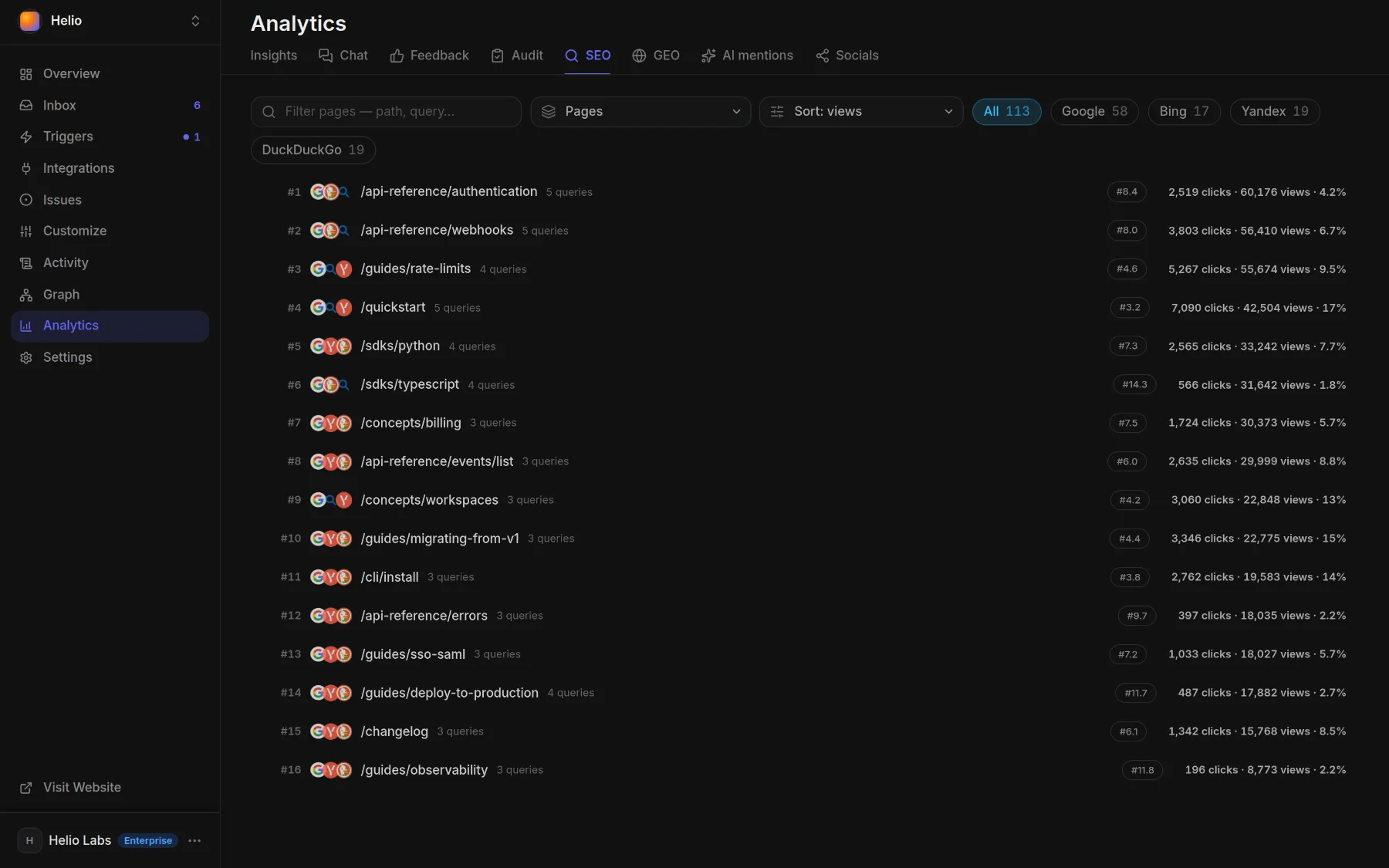
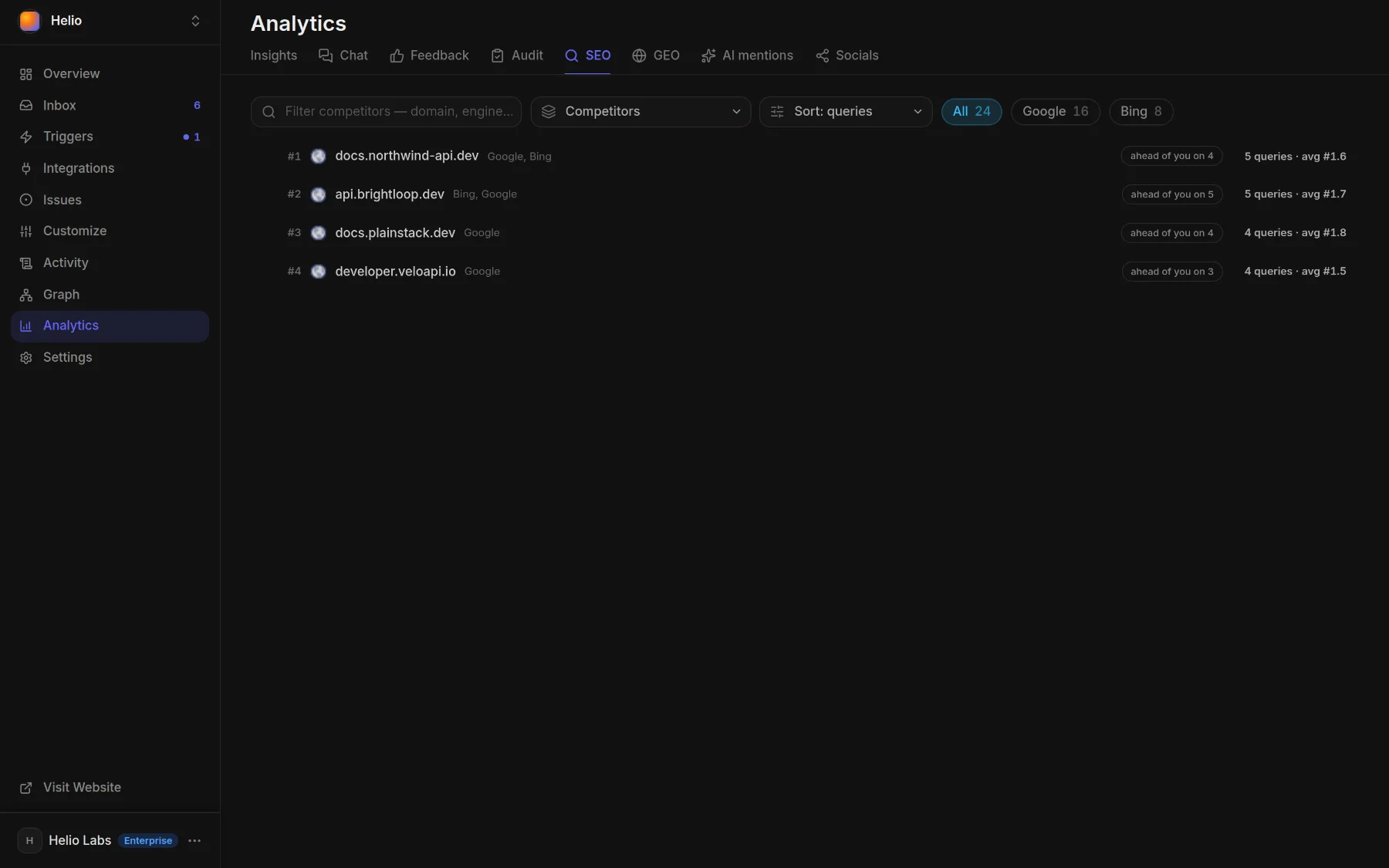
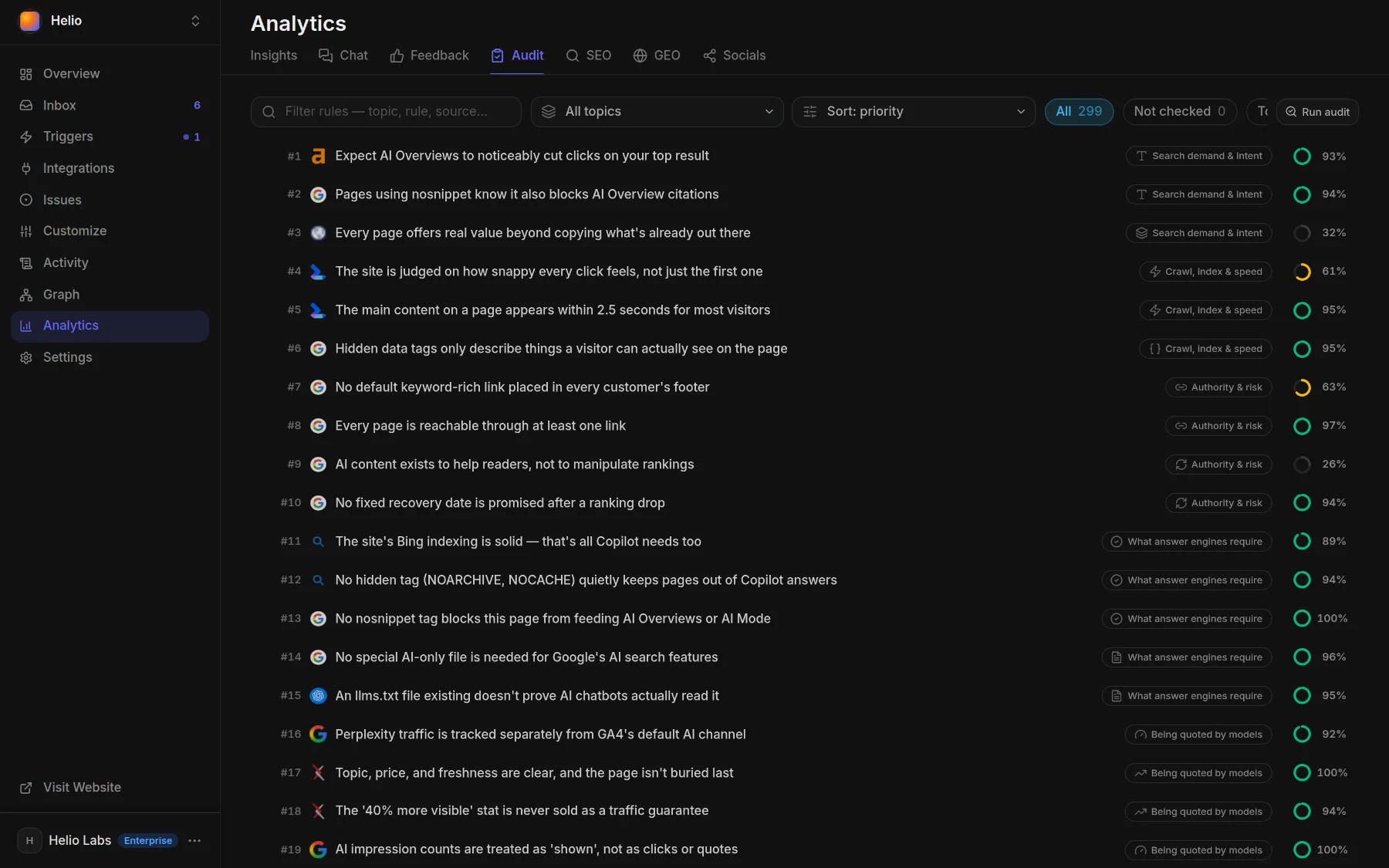
Analytics ▸ Audit shows where your pages stand against the three SEO topics of the catalog: Search demand & intent; Crawl, index & speed; Authority & risk.
Tell your agent#
Say what you want in a sentence, from Claude Code, Cursor, Codex or the panel chat:
Find the pages sitting on page two of Google and fix their titles and descriptions.
Why did docs traffic drop last week? Fix the part that is ours.
What do people search for that our docs don't answer? Write the top three pages.
Check every link on the site and fix the broken ones.
Run the organic search audit every week.FAQ#
Do I need to do anything for SEO?
No setup is needed. Give each page one clear # H1 and an opening paragraph that answers its question; they become the search title and description unless your frontmatter sets them.
What happens to links when I move a page?
A move made with write_docs, the path the agent writes through, records the old and new address in .docsbook/redirects.json in the same commit, and the old URL answers with a permanent 308 redirect. A file you move yourself in git gets no redirect until you add the entry:
{ "version": 1, "redirects": [{ "from": "guides/old-name", "to": "guides/new-name" }] }Do I need to submit my sitemap to Google?
No. On a docsbook.io address, your robots.txt names the sitemap in a Sitemap: line, which Google and Bing read on their own. Submitting it in your own Search Console account is optional; Docsbook only reads Search Console and never submits anything.
How long does it take to leave or return to Google?
Search engines drop a page within days of seeing noindex and take weeks to list it again, so switching Search engines off and on is not instant.